Keeping all your AI tools on the same page is a job nobody signed up for.

AI Context Keeper is the one place all your AI tools get their information, so you stop managing files and focus on getting work done.

Works with

Claude AIChatGPTGoogle Gemini
Cursor
Claude Code
Perplexity AIGrok
Ollama
LM Studio
Open WebUI
+Any AI Tool

AI Context Keeper and/or its various product brands are not associated with or sponsored by any of the above companies.
Without AI Context Keeper

Every AI tool keeps its own copy. None of them knows about the others.

Scattered

Your facts live in Claude Projects, ChatGPT memory, Google Docs, uploads and old chats. Update one and the rest go stale.

Unsure

When an answer comes back, you can't tell which version it used. So you double-check, or you don't, and hope.

Your job now

Somebody has to keep all of these tools in agreement. Nobody signed up for that. It falls to you anyway.

With AI Context Keeper

One set of files, current everywhere.

Change it once

Fix a fact in one file and every tool you've connected sees the change.

Know what they're reading

Every connected tool reads the same workspace, so there's no hidden copy and no guessing which version answered.

Use the best tool for the job

Switch between Claude, ChatGPT, Cursor or a local model whenever you like. Nothing to carry over.

Keep it as a team

Your team shares one set of truth, and it stays with the team when people come and go.

Works the same for a team.

Invite your team into shared workspaces, decide who can see and edit what, and manage everyone on one subscription. If someone leaves, the knowledge base stays with the team.

See how teams use it

Why we built it, and what we promise

Same problem as you.

We switch between Claude, ChatGPT and local models all day, and we got tired of fixing the same fact in three places.

Built by someone who needed it.

Made by a team leader whose team uses multiple AI tools every day. About

Not an AI.

It doesn't write or answer anything. It keeps your files current and serves them to the tools you choose.

Your files stay yours.

Plain markdown, encrypted at rest, export any time. Nobody here reads them, and no model is trained on them.

Not for everyone.

One AI tool and Projects does the job? You don't need this. More than one tool? This was built for you.

How it works

Set up takes a few minutes. Here is the whole process.

1

Bring in what you have

Upload documents, spreadsheets, presentations and web pages, or clip from the browser. Everything becomes clean markdown that AI tools read well.

2

Connect your tools

Add AI Context Keeper to Claude, ChatGPT, Cursor or a local model in a couple of clicks, or share a link.

3

Ask any of them

They all read the same files. Change a file once and every tool sees it.

Update once. Current everywhere.

See It in Action

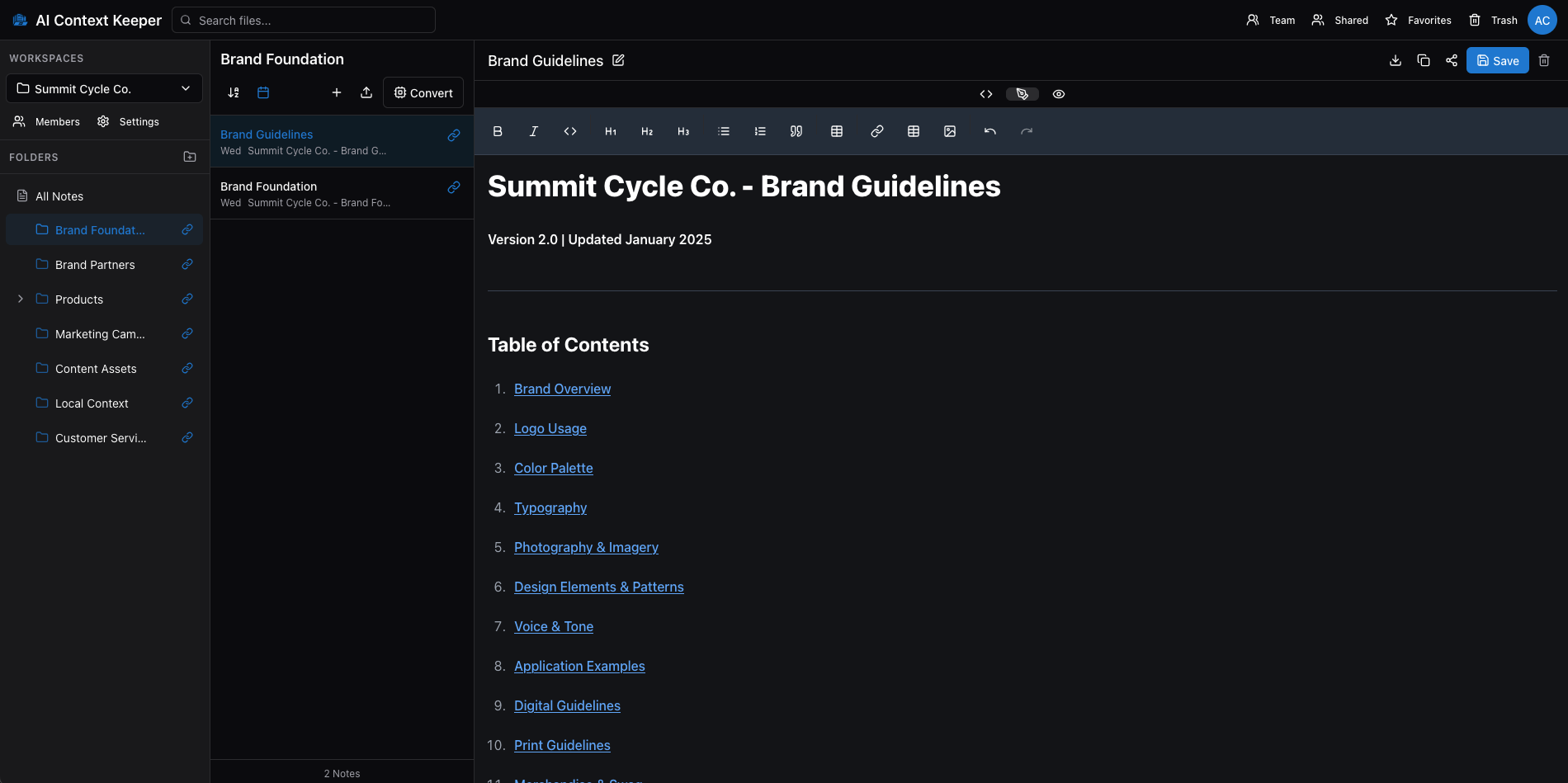
A clean, simple workspace where your AI knowledge lives, organized, searchable, and ready to share with any AI tool in one click.

aicontextkeeper.com
AI Context Keeper - Full application interface showing file management system with folders, notes, and rich text editor
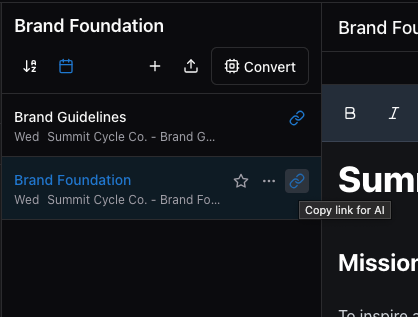
Copy link for AI feature

One-Click AI Sharing

Copy a link. Paste in any AI. Your full context loads instantly.

Organized workspace view

Organized and Searchable

Folders, files, and notes. Structured however makes sense to you.

One place, every tool

Keep your files in one workspace. Every AI tool you connect reads the same current version.

Simple pricing. Start free.

Less than one AI subscription, and it makes all of them work better.

Free

Basic Plan

For getting started with your own knowledge base.

Free
Free forever. No credit card required.
  • 3 GB storage
  • 1 workspace
  • Single-level folders
  • Connect to Claude, ChatGPT, Cursor and any MCP tool (standard connector limits)
  • Share files and folders with any AI tool
  • File conversion, 15+ formats
  • Unlimited sharing links
  • Chrome extension
For Growing Teams

Premium Plan

For growing teams.

$19.99/month
or $199.99/year
Save $40 per year
  • 50 GB storage
  • Unlimited workspaces
  • Unlimited folder nesting
  • Connect to Claude, ChatGPT, Cursor and any MCP tool (highest connector limits)
  • Share files and folders with any AI tool
  • File conversion, 15+ formats
  • Unlimited sharing links
  • Chrome extension
  • Team collaboration, 10 members included
  • Permission controls
  • API access
  • Priority support

Need more team members? Add additional seats for just $2/month per member.

Free plan, no credit card required
AES-256 encrypted
Cancel anytime
Your data exports easily. Standard markdown, no lock-in.

Works with the models on your own machine, too.

Ollama, LM Studio and Open WebUI read the same files as your cloud tools, through the same connection. Your files are encrypted at rest and stay in plain markdown you can export at any time. If privacy matters, or you want to work offline, nothing changes about how you keep your information.

Local and private AI

You use more than one AI tool, and you want all of them working from the same information. That means one place to keep it, readable by every tool.

Right now each tool holds its own copy. Update one and the rest go stale, and you're never quite sure which version just answered you. We don't think keeping your tools in agreement should be a job. We switch between Claude, ChatGPT and local models all day ourselves, and we got tired of fixing the same fact in three places.

So we built the one place they all read: an efficient plain-markdown knowledge base, connected to every tool you use through one open standard. Bring in what you have, connect your tools, and ask any of them. Change a file once and they all see it.

Start free today, and stop keeping your AI tools in sync by hand.

Questions? Answers.

One place your AI tools all read.

Start your free knowledge base in a few minutes. No credit card. No technical setup. Every tool you use, working from the same files.

No credit card required
AES-256 encrypted
Set up in 5 minutes
Cancel anytime
No lock-in